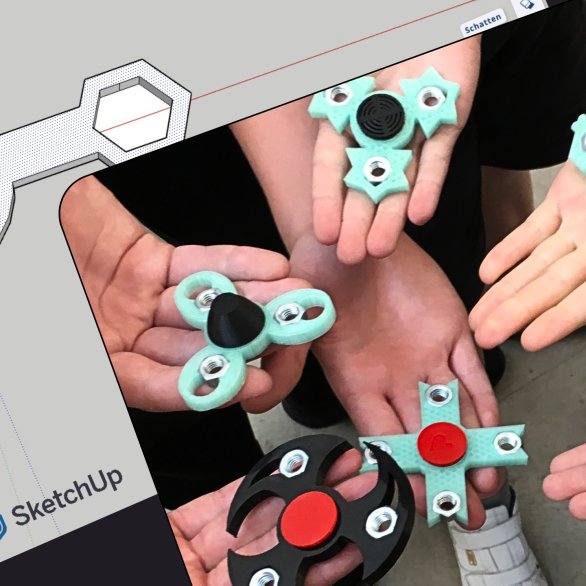
If you want to print spare parts, you can't avoid the topic of 3D modeling.
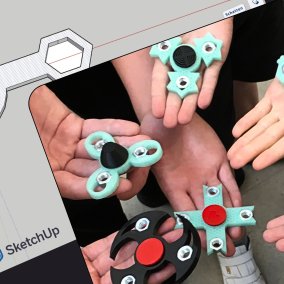
In this course, you will get to know the 3D modeling software "SketchUp", draw some small sample projects and create the print templates with a slicer. You will learn more about the possibilities and limitations of 3D printing using sample prints and failures. In addition, various CAD software titles will be discussed, helpful tutorials recommended and model libraries introduced.
Prerequisites
- You have created an account with Trimble and are using the SketchUp free version via the browser. Or: You have a SketchUp license (SketchUp Go/Pro/Studio).
- You already have a 3D printer at home or access to one.
- You reserve a place on the course with Pit Schmid, the curator of the exhibition, by e-mail (pit.schmid@bl.ch).
- Your participation will be confirmed by e-mail. A total of 8 workstations are available.
- You will arrive at the first course date with a notebook and SketchUp software installed.
- By registering, you give Museum.BL your consent to document the course with photos and video recordings and to use these recordings on social media and on the website on behalf of Museum.BL.
The course is free of charge
Reservation date: 4.5.2026
In this course, you will get to know the 3D modeling software "SketchUp", draw some small sample projects and create the print templates with a slicer. You will learn more about the possibilities and limitations of 3D printing using sample prints and failures. In addition, various CAD software titles will be discussed, helpful tutorials recommended and model libraries introduced.
Prerequisites
- You have created an account with Trimble and are using the SketchUp free version via the browser. Or: You have a SketchUp license (SketchUp Go/Pro/Studio).
- You already have a 3D printer at home or access to one.
- You reserve a place on the course with Pit Schmid, the curator of the exhibition, by e-mail (pit.schmid@bl.ch).
- Your participation will be confirmed by e-mail. A total of 8 workstations are available.
- You will arrive at the first course date with a notebook and SketchUp software installed.
- By registering, you give Museum.BL your consent to document the course with photos and video recordings and to use these recordings on social media and on the website on behalf of Museum.BL.
The course is free of charge
Reservation date: 4.5.2026
This text was translated by an AI.